

How Do I Send and Upload Documents?
How to provide Embrace with your pet's medical records, additional information, and other documents.
How to Submit Documents Via MyEmbrace
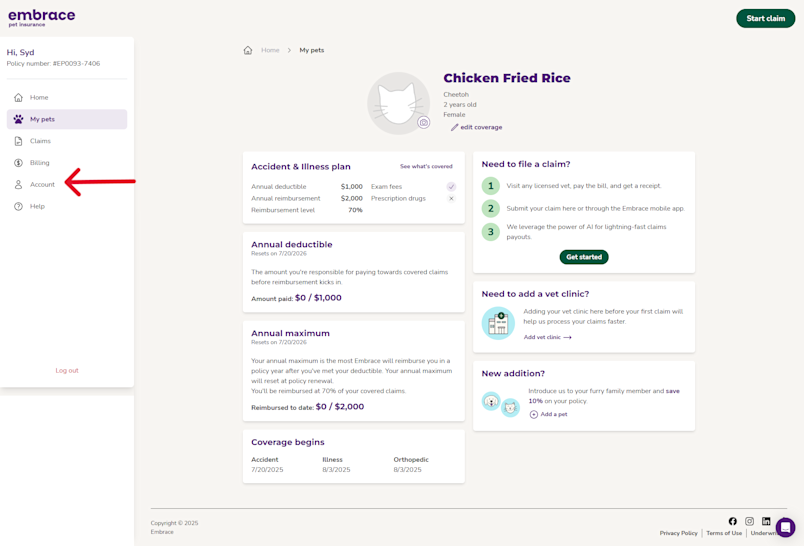
1. Log in to your MyEmbrace customer account and select Account from the Quick Links menu
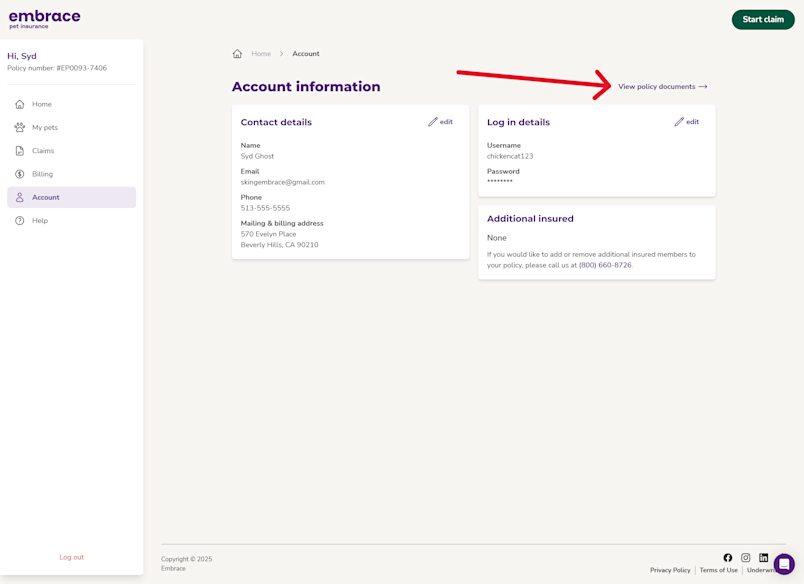
2. Choose View Policy Documents
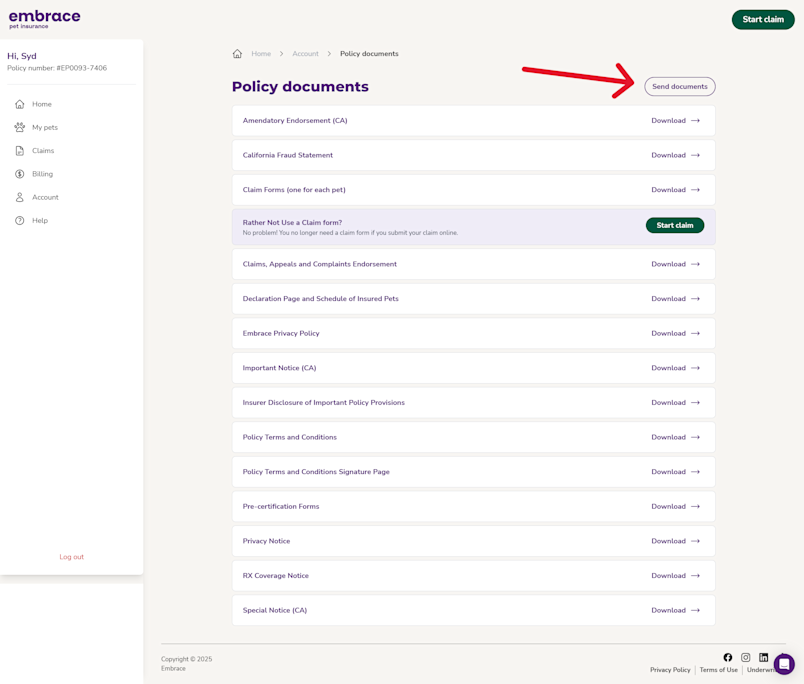
3. Select Send documents
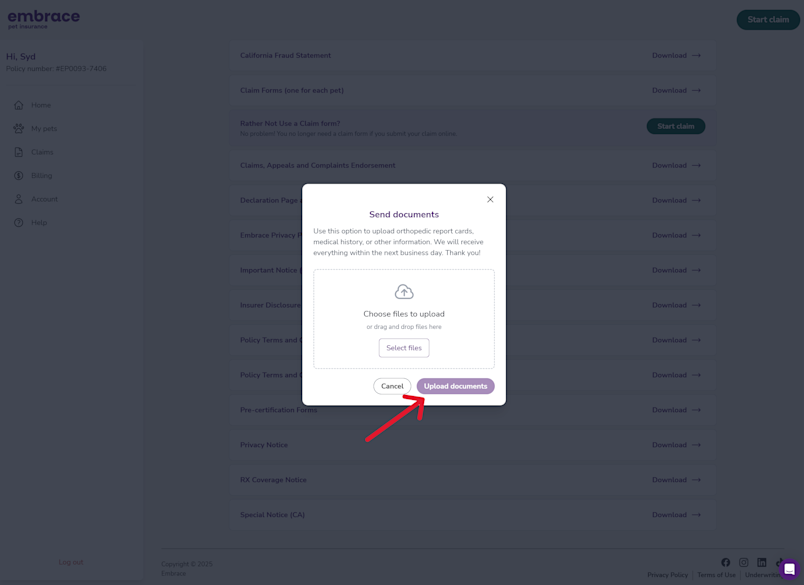
Select your document from your files
Accepted file types are: PDF, PNG, or JPEG.
Size limit for each document submitted is 50MB
4. Select Upload Documents
Other Ways to Submit
Email: claims@embracepetinsurance.com
**This is an unmonitored inbox, we’re unable to respond to messages & questions sent here
Documents must be sent as attachments, not pasted in the body of the email.
Fax: (800) 238-1042